On this page
AI coding agents write a lot of 2019 code. Custom modal scripts, JavaScript tooltips, div soup where a native element would do. Chrome's answer is Modern Web Guidance, a set of skills that feeds web platform best practices and browser support data straight into your coding agent.
If an agent builds or maintains your site, this changes what it ships. Here is what that means for AI readability, and what it leaves for you to check.
What it is
Modern Web Guidance is an agent skill plus a CLI. When the agent hits a task like "build a dialog" or "fix slow interactions", it searches the guide library, retrieves the matching guide as Markdown, and follows it.
The library covers over 100 use cases.
| Area | Examples |
|---|---|
| Built-in UI | <dialog>, the Popover API, CSS Anchor Positioning |
| CSS | Container queries, subgrid, text-wrap |
| Performance | INP diagnostics, scheduler.yield, image and script priority |
| Forms and security | :user-invalid, passkeys, Trusted Types |
| Accessibility | Error announcements, focus management, semantic HTML |
| WebMCP | Agentic forms and tools that let AI agents act on a site |
Every guide is tied to Baseline, the cross-browser support standard. You set a target in CLAUDE.md or AGENTS.md, for example This project's Baseline target is Baseline 2024. Without one, the guidance sticks to widely available features and adds fallbacks for anything newer.
As of mid-2026, Google reports early evals showing a 37 percentage point improvement in how closely agents follow modern best practices.
How to install it
The recommended route works for most agents:
npx modern-web-guidance@latest install
For Claude Code:
claude plugin marketplace add GoogleChrome/modern-web-guidance
claude plugin install modern-web-guidance@googlechrome
The legacy scan
The most useful part for an existing site is legacy-scan. Ask your agent to "check for legacy patterns", or run it yourself:
npx modern-web-guidance legacy-scan src/ --json
The scanner uses local AST, DOM and CSS parsers. It makes no LLM calls, so the same code gives the same findings every time. The agent then checks each match in context, drops false positives such as intentional fallbacks, and reports. It only refactors when you ask. There is no auto-fix flag, by design.
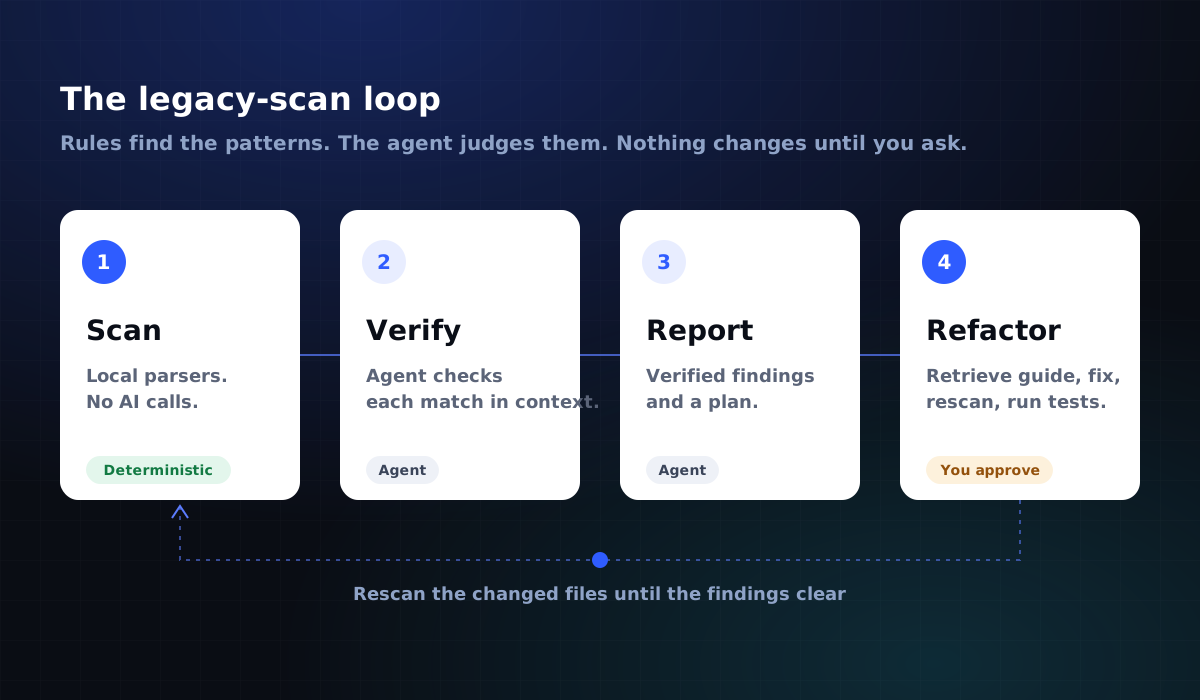
Deterministic detection first, judgment second. It is the same principle behind the Siteiz methodology.
Where it helps AI readability
Some guides line up with what AI crawlers need.
Content stays in the HTML. A native <dialog>, popover or <details> element holds its content in the markup. A JavaScript widget often injects it after load, and a crawler that skips JavaScript never sees it. The "Search hidden content" guide covers hidden="until-found", which keeps collapsed text in the page and findable.
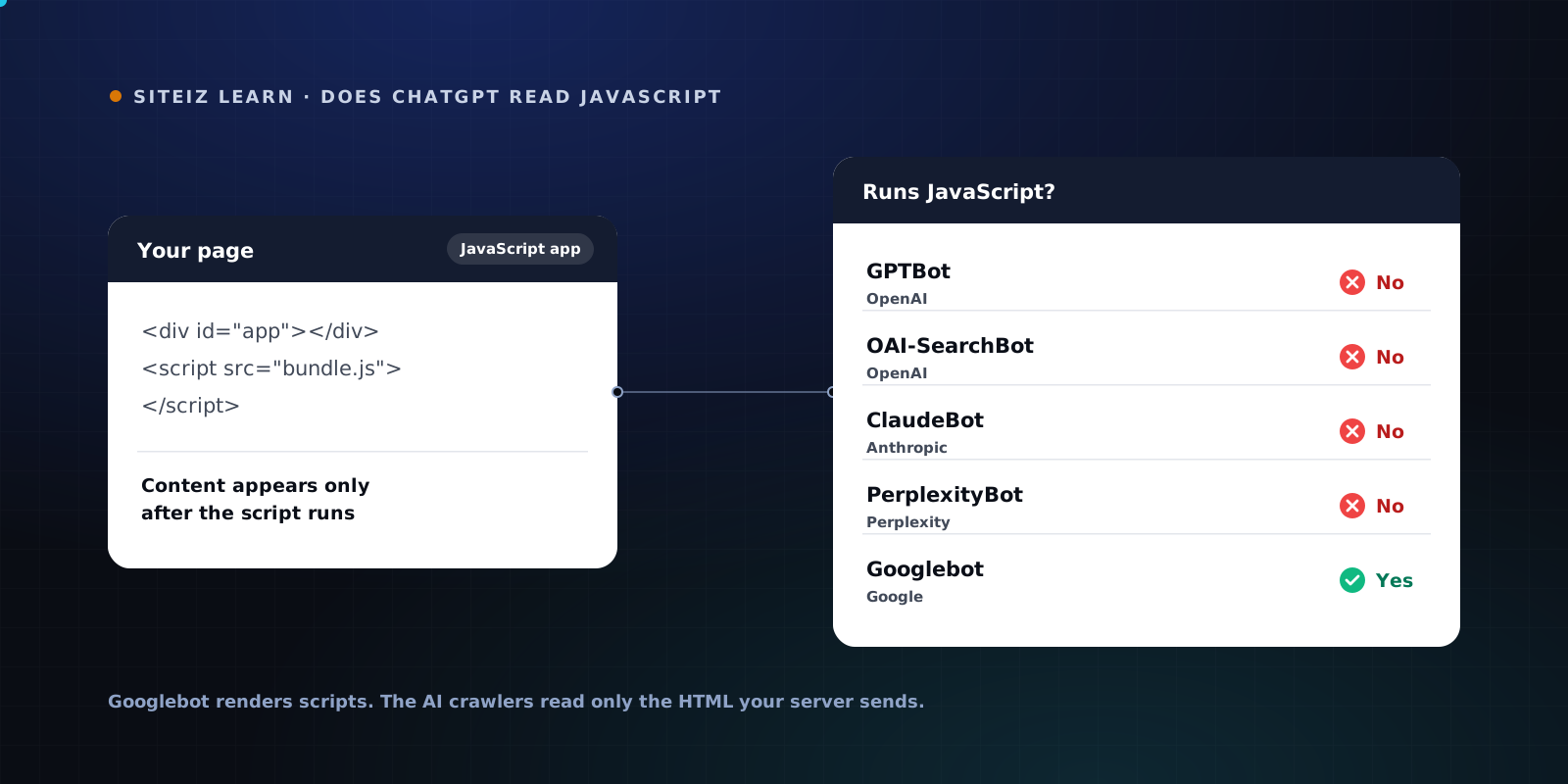
Components rendered on the server. The "Pre-rendering custom elements" guide covers rendering web components on the server and hydrating in place. That puts the words in the first response. It matters because the main AI crawlers read raw HTML only. See which AI crawlers run JavaScript.
Semantics agents can parse. The accessibility guides push semantic HTML and correct roles. Browser-based AI agents often work from the accessibility tree, so clean semantics help them as much as screen readers.
Agent-ready interactions. The WebMCP guides show how to expose forms and actions to AI agents in a structured way. Early, but a clear signal of where Chrome is heading.
What it does not cover
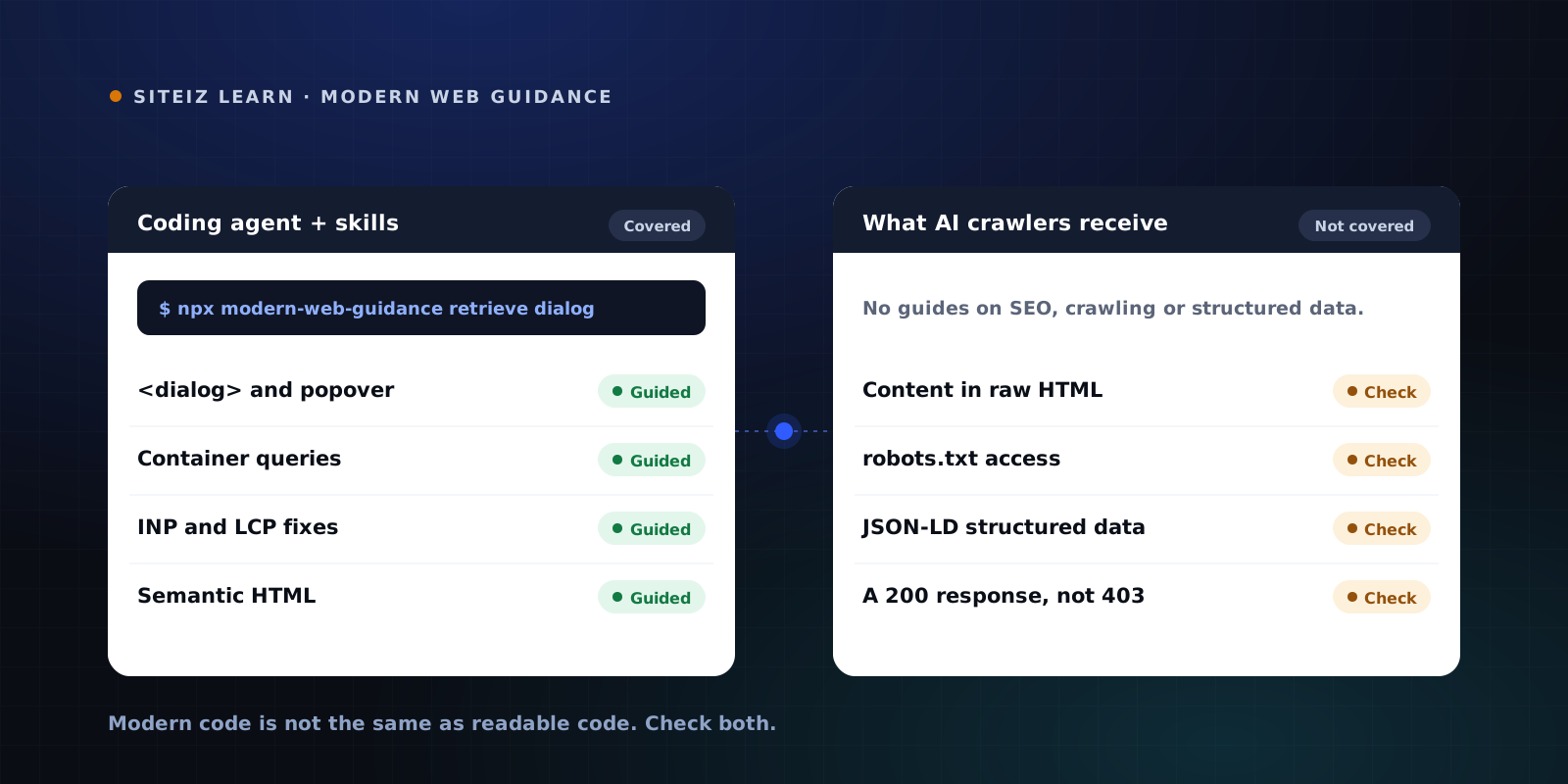
Modern Web Guidance is about code quality. It has no guides on:
- SEO or crawlability
- robots.txt and AI crawler access
- Structured data and JSON-LD
- Whether your key content exists in the raw HTML at all
An agent can follow every guide and still ship a page where GPTBot receives an empty shell, or where robots.txt blocks the crawlers you want. Modern code and readable code are not the same thing.
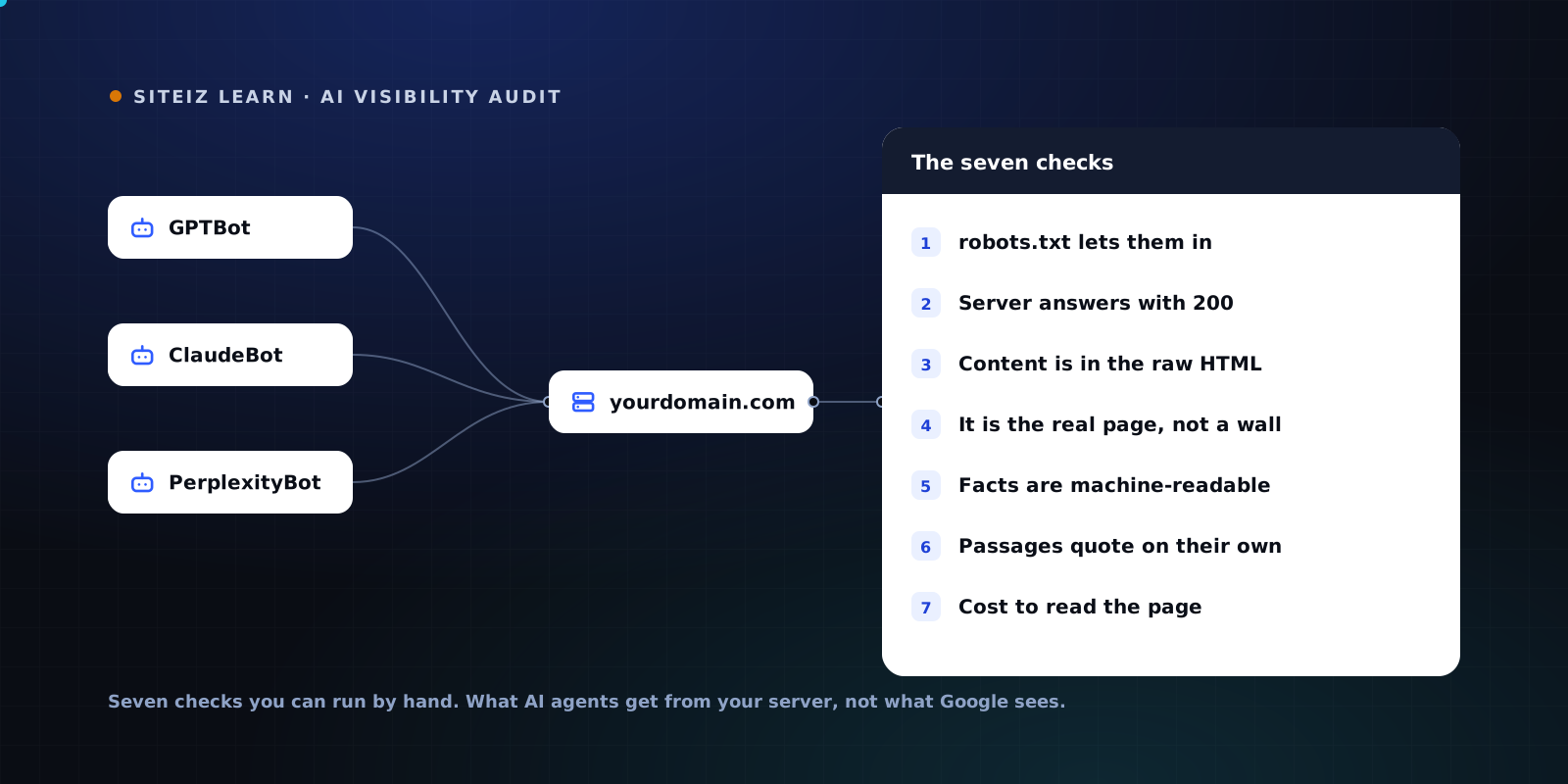
The AI visibility audit walks through each of those checks by hand. To run them across your whole site at once, use the free Siteiz scan.
FAQ
Common questions
Short answers to what people ask most about this topic.
What is Modern Web Guidance?
A set of agent skills from the Chrome team that gives AI coding agents web platform best practices and browser compatibility data. The agent calls a CLI to search and retrieve guides for over 100 use cases, from dialogs and popovers to INP fixes and passkeys.
Does Modern Web Guidance help with SEO?
Indirectly. It pushes agents toward native, semantic HTML and better Core Web Vitals. It has no guides on SEO, crawlability, robots.txt or structured data, so those still need a separate check.
Which coding agents support it?
Claude Code, Codex, Copilot CLI, Gemini CLI, Antigravity, Goose and JetBrains WebStorm, plus any agent that installs skills through npx skills.
Will code written with it be readable by AI crawlers?
Not automatically. Native elements help because their content sits in the markup. But if your framework renders text in the browser, crawlers that do not run JavaScript still miss it. Check the raw HTML your server sends.