On this page
A new class of tools lets you show AI crawlers a different version of your page than people see. Adobe LLM Optimizer rewrites pages at the CDN edge for AI agents. Cloudflare converts HTML to markdown for any client that asks for it. A few lines in a CDN worker can do the same for any site.
The question every SEO lead is asking: is this optimization, or is it cloaking?
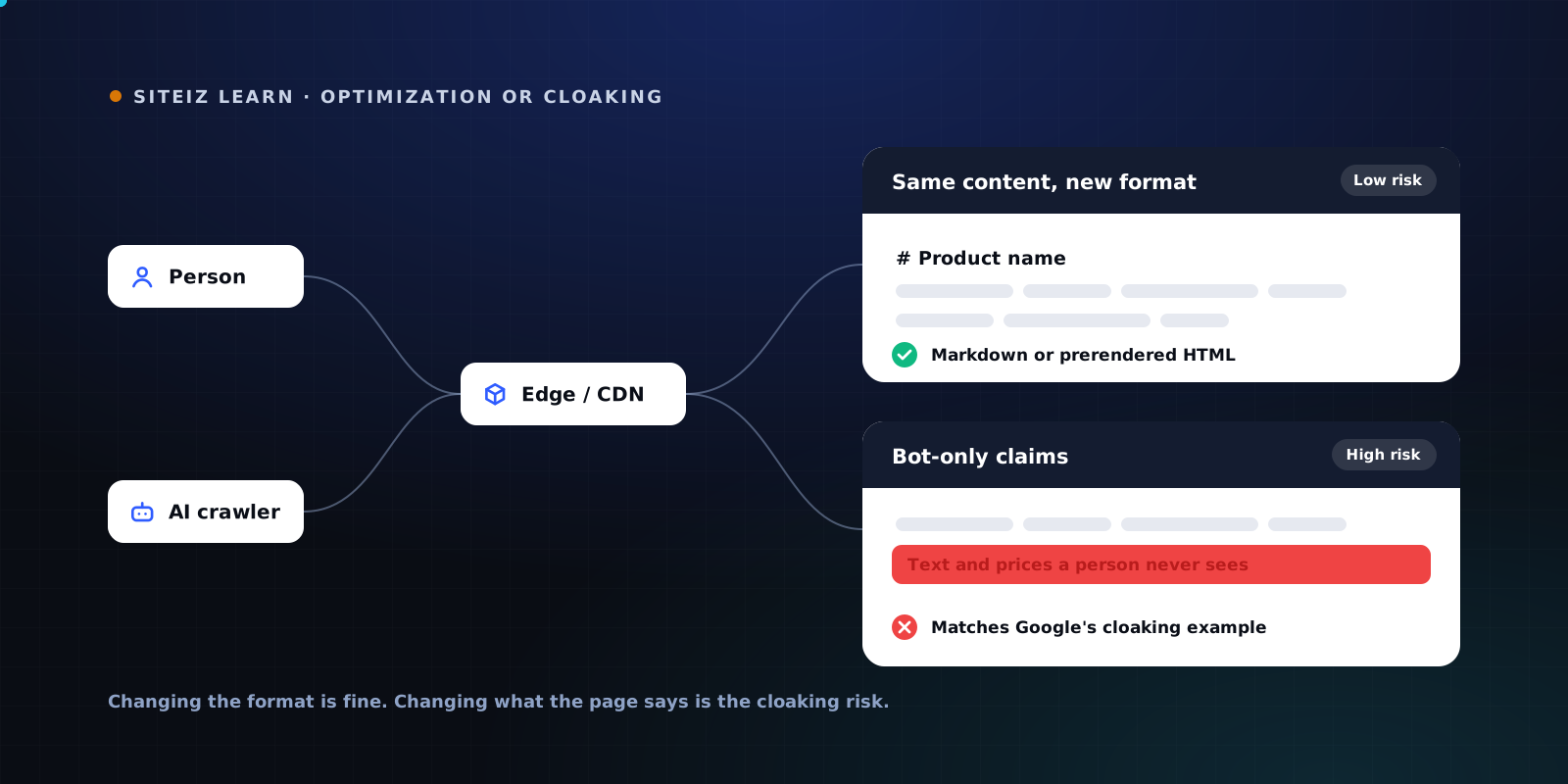
The short answer: changing the format is fine, changing the content is the risk. The rest of this article shows where that line sits, and how to check which side your site is on.
What edge delivery for AI actually does
All of these tools sit between your server and the visitor. They look at the request, decide who is asking, and change the response. What they change is what matters.
| Approach | How it decides | What the bot gets | Risk |
|---|---|---|---|
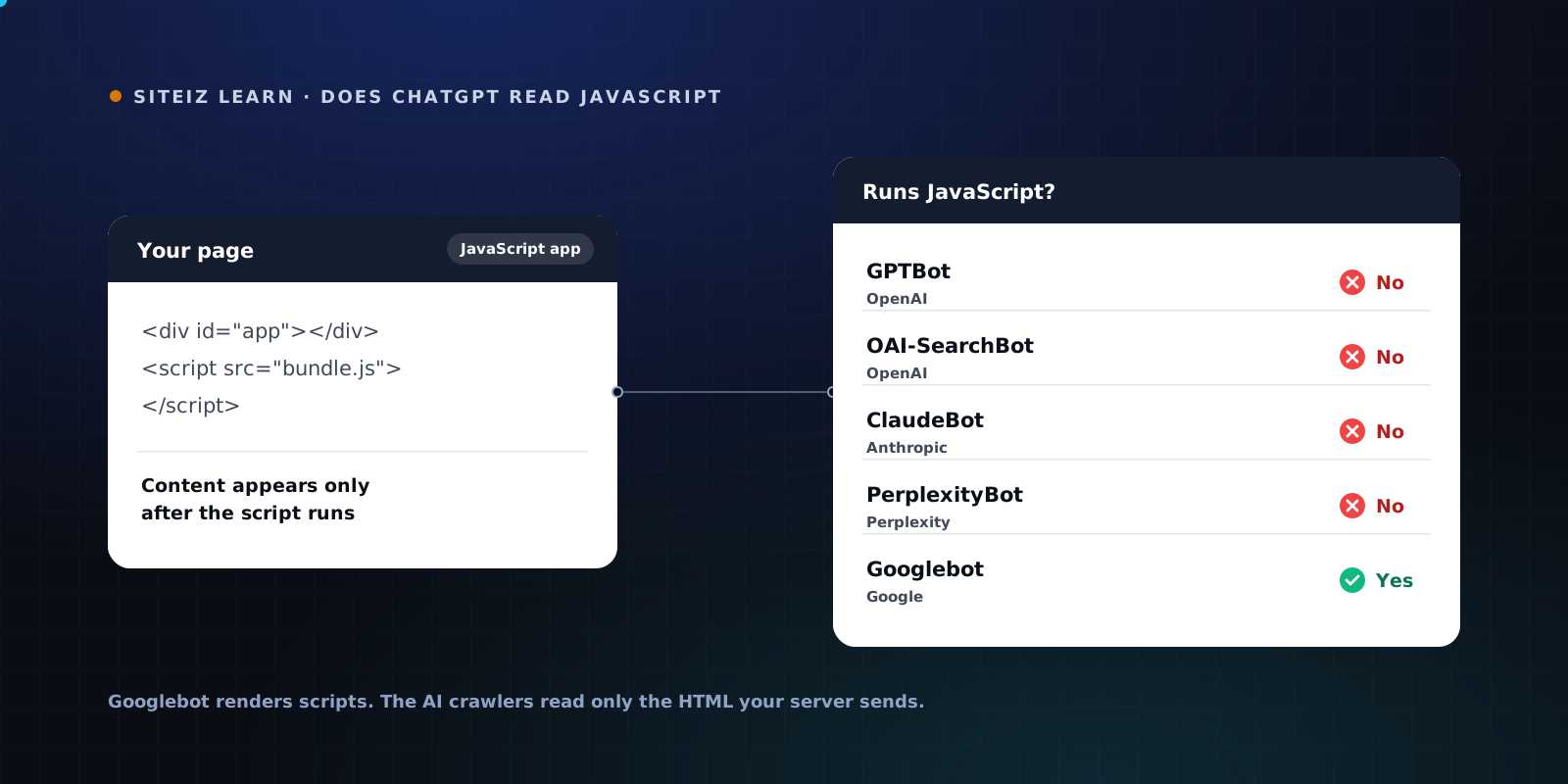
| Prerendered HTML | User agent | The same page, already rendered, so no JavaScript is needed | Low |
| Markdown on request | Accept: text/markdown header |
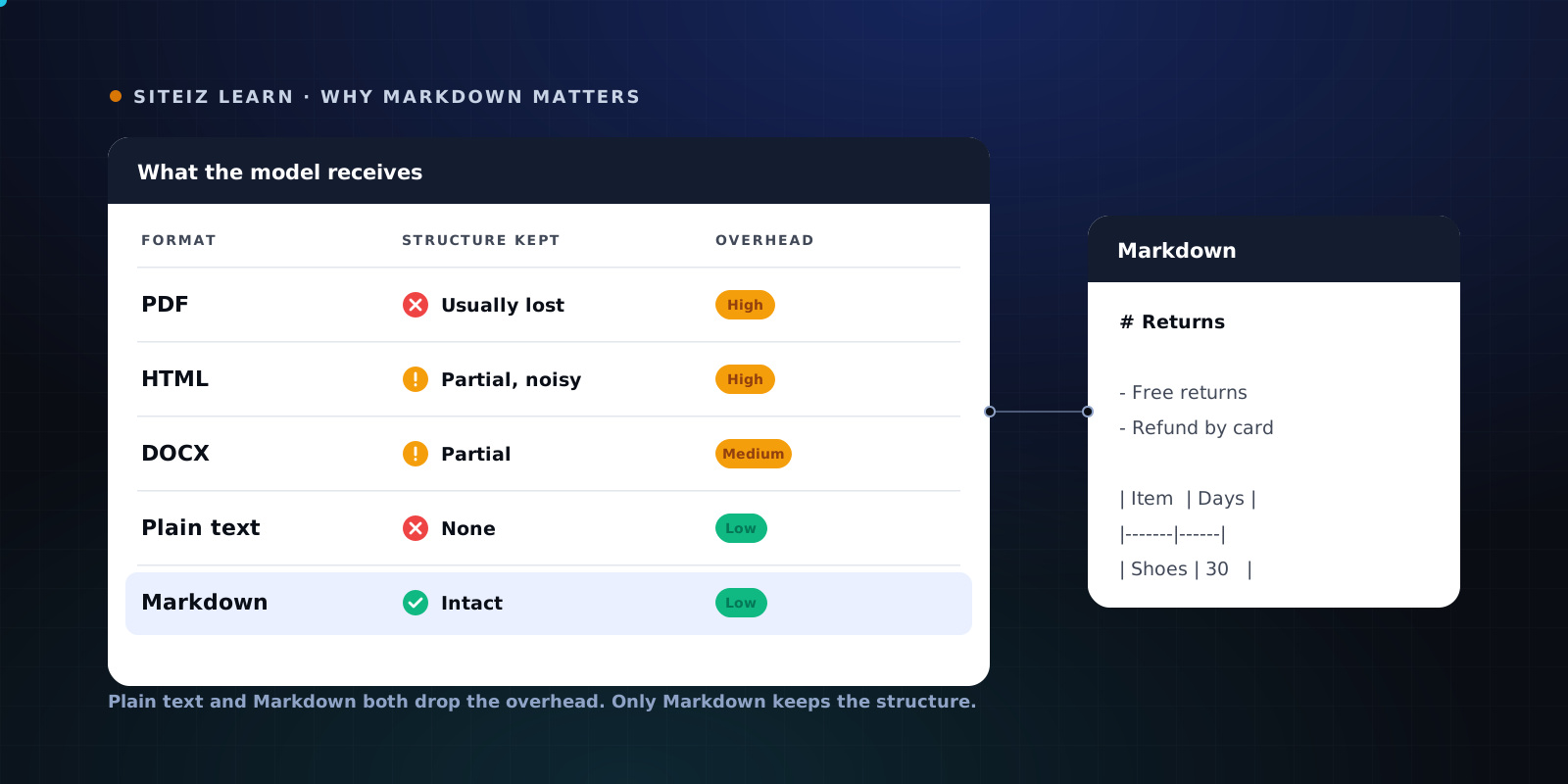
The same content as markdown, lighter to process | Low |
| AI-only summaries and FAQs | User agent | Extra text, restructured sections or extra structured data | Medium to high |
| Bot-only claims | User agent | Facts, prices or messages a person never sees | High |
The first two change the packaging. The last two change what the page says. Search engines care about that difference, and AI platforms will too.
What Google actually says
Google's spam policy defines cloaking as presenting different content to users and search engines with the intent to manipulate rankings and mislead users. One of its two listed examples is exactly what some edge tools can do: inserting text or keywords into a page only when the user agent requesting it is a search engine, not a human visitor.
Google has also drawn the safe side of the line. Its documentation on dynamic rendering says Googlebot generally does not consider it cloaking, as long as the rendered version produces similar content. The same page states that using dynamic rendering to serve completely different content to users and crawlers can be considered cloaking.
So the test is not the technique. It is whether the bot and the person get the same substance.
Where the vendors stand
Adobe's position is that its edge optimizations are not cloaking, because they reorganize content that already exists on the page and add no net-new information. Adobe also says the edge changes are served to AI bots only, not to search crawlers.
That argument is reasonable as long as every edge rule really only reorganizes. The risk is in the details. An auto-generated FAQ that answers a question the page never answers is new information. A summary that states a price, a ranking or a claim the page does not make is new information. Intent is hard to prove from outside. What gets served is easy to measure.
Cloudflare's approach is the cleaner one. Markdown for Agents responds to a header any client can send, converts the same HTML, and returns it with a text/markdown content type. Nothing is hidden. Anyone can request the markdown and compare. It is available on Cloudflare's paid plans.
Why the line is thinner than it looks
AI search and classic search share crawlers. Google's AI Overviews and AI Mode are built from what Googlebot crawls. Google-Extended is a robots.txt token, not a separate bot. You cannot give Google's AI features a different page without giving it to Googlebot.
A bot-only version is a second page to maintain. Every price change, legal update or product retirement now has to land in two places. When the versions drift, an AI answer quotes something your page no longer says.
Visitors check. A person clicks through from an AI answer to verify a claim. If the claim only existed in the bot version, they cannot find it, and the trust you were trying to earn goes the other way.
Rules follow abuse. Today the platforms tolerate edge optimization because most of it is format. If bot-only content becomes a spam tactic, the response will not distinguish good intent from bad. It will compare what bots get with what people get.
A setup that stays safe
- Fix the page itself first. Server-rendered HTML with real headings, real text and structured data serves people and crawlers at once. Google recommends server-side rendering, static rendering or hydration over dynamic rendering for the same reason. We cover the JavaScript side in Does ChatGPT read JavaScript?
- Prefer content negotiation to user agent sniffing. Serving markdown on
Accept: text/markdownis transparent. Serving a variant based on who claims to be asking is not. SendVary: Acceptso caches keep the two formats apart. - Never add facts for bots only. If a summary or FAQ helps an AI understand the page, it helps people too. Put it on the page.
- Keep structured data identical. JSON-LD served only to crawlers is content the visitor cannot check. Ship the same blocks to everyone.
- Audit the output, not the configuration. Edge rules change. What matters is the response a crawler actually receives today.
How to check what bots receive
Fetch the same URL as a browser and as an AI crawler, then compare:
# What a person's browser receives (no JavaScript)
curl -sL -A "Mozilla/5.0 (Macintosh; Intel Mac OS X 10_15_7) AppleWebKit/537.36 (KHTML, like Gecko) Chrome/141.0.0.0 Safari/537.36" \
  https://yourdomain.com/page -o browser.html

# What GPTBot receives
curl -sL -A "Mozilla/5.0 AppleWebKit/537.36 (KHTML, like Gecko); compatible; GPTBot/1.1; +https://openai.com/gptbot" \
  https://yourdomain.com/page -o gptbot.html

# Does the server offer a markdown version?
curl -sIL -H "Accept: text/markdown" https://yourdomain.com/page | grep -i content-type

# Compare the two HTML responses
diff <(sed 's/<[^>]*>//g' browser.html) <(sed 's/<[^>]*>//g' gptbot.html) | head -50
Expect some noise. Timestamps, rotating banners and security tokens change on every request, so fetch the browser version twice and ignore what differs between those two. Also expect refusals: some CDNs verify real crawlers by IP address and block a test request that only borrows the user agent. A refusal means you could not verify, not that the pages match.
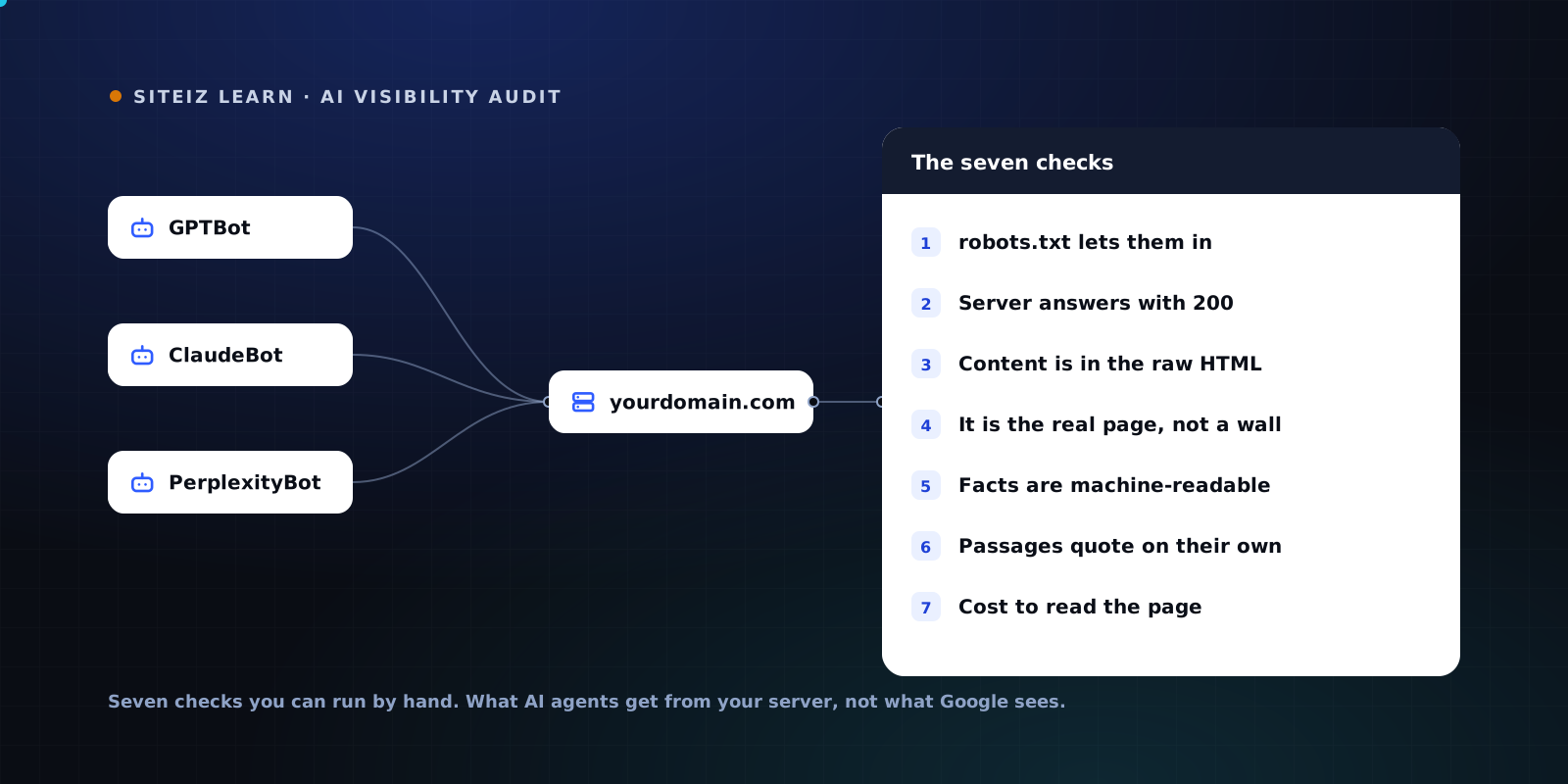
The Siteiz scan now runs this check automatically. It fetches your page twice as a browser and once each as GPTBot, ClaudeBot and PerplexityBot, filters out per-request noise, and shows the exact text, title, description and structured data that only the bots receive. If your server offers markdown, it compares that version too. It reports the difference as evidence and leaves it out of your score, so a refused request never counts as a pass. The full list of checks is in the scan methodology, and the wider set of manual checks is in the AI visibility audit guide.
See what GPTBot, ClaudeBot and PerplexityBot get from your page with the free Siteiz scan.
Common questions
Is serving markdown to AI crawlers cloaking?
Not when the markdown carries the same content as the HTML page. Markdown requested with an Accept text/markdown header is a different format of the same page, and any client can ask for it. It becomes a problem only when the markdown version contains claims, prices or text the HTML page does not.
Is Adobe LLM Optimizer's Optimize at Edge cloaking?
Adobe says no, because its edge changes reorganize content that already exists on the page and add no new information. That holds as long as it stays true for every page you optimize. If an edge rule adds text a person cannot find on the page, it matches Google's own example of cloaking, whatever the tool's intent.
Can I serve AI bots a different page if Googlebot gets the normal one?
You can, but the separation is weaker than it looks. Google's AI Overviews and AI Mode are built from what Googlebot crawls, and Google-Extended is a robots.txt token, not a separate crawler. A bot-only variant also creates a second version of your page that you have to keep accurate.
How do I check what AI crawlers receive from my site?
Request the same URL with a browser user agent and with an AI crawler user agent, then compare the text. Also request it with an Accept text/markdown header. Some CDNs verify real crawlers by IP address and refuse test requests, so a refusal means you could not verify, not that the pages match.