On this page
If your retrieval-augmented generation pipeline answers confidently and wrongly from your own documents, the problem is usually not the model, the prompt, or the embedding. It is the first ten lines of your ingestion script. Converting PDF to Markdown before anything else is the single change that fixes the most retrieval failures.
What a PDF loader actually hands you
A PDF does not store paragraphs, sections, or tables. It stores glyphs at pixel coordinates, plus instructions for drawing them. Everything you perceive as structure is visual, and it exists only in your head as you read.
A generic PDF loader reads those glyphs in roughly the order they were written to the file, then joins them into a string. On a single-column page that mostly works. On a two-column report, a datasheet, or anything with a sidebar, the columns interleave and sentences break apart mid-clause.
What the loader returns from a two-column page:

The options for choosing a customised
interior design are 1. Brown/Light
practically limitless. To make your
choice a little easier, our 2. Brown/Dark
designers have put together a selection
of interiors with 3. Black/Dark
perfectly matched colours.
That text then gets embedded. The vector is a faithful representation of scrambled input, so retrieval returns a passage that scores well and reads as gibberish. The model, doing its job, summarises the gibberish into something plausible.
Where the damage compounds
Three separate failures stack on top of each other, and each one is invisible in your logs.
Chunk boundaries land mid-sentence. With no headings in the text, a recursive character splitter cuts every N characters. A definition ends up in one chunk and its explanation in the next, so neither retrieves well for the question they jointly answer.
Tables stop being data. A flattened table is a run of labels and numbers with no row or column relationship. Ask "what was the figure for the second quarter" and the model picks a number that was near the right words on the page.
Headers and footers become noise. Page furniture repeats on every page and gets embedded along with the content, diluting every vector with the same boilerplate.
None of these produce an error. The pipeline runs, the answers come back, and they are quietly wrong.
The fix: convert first, then load
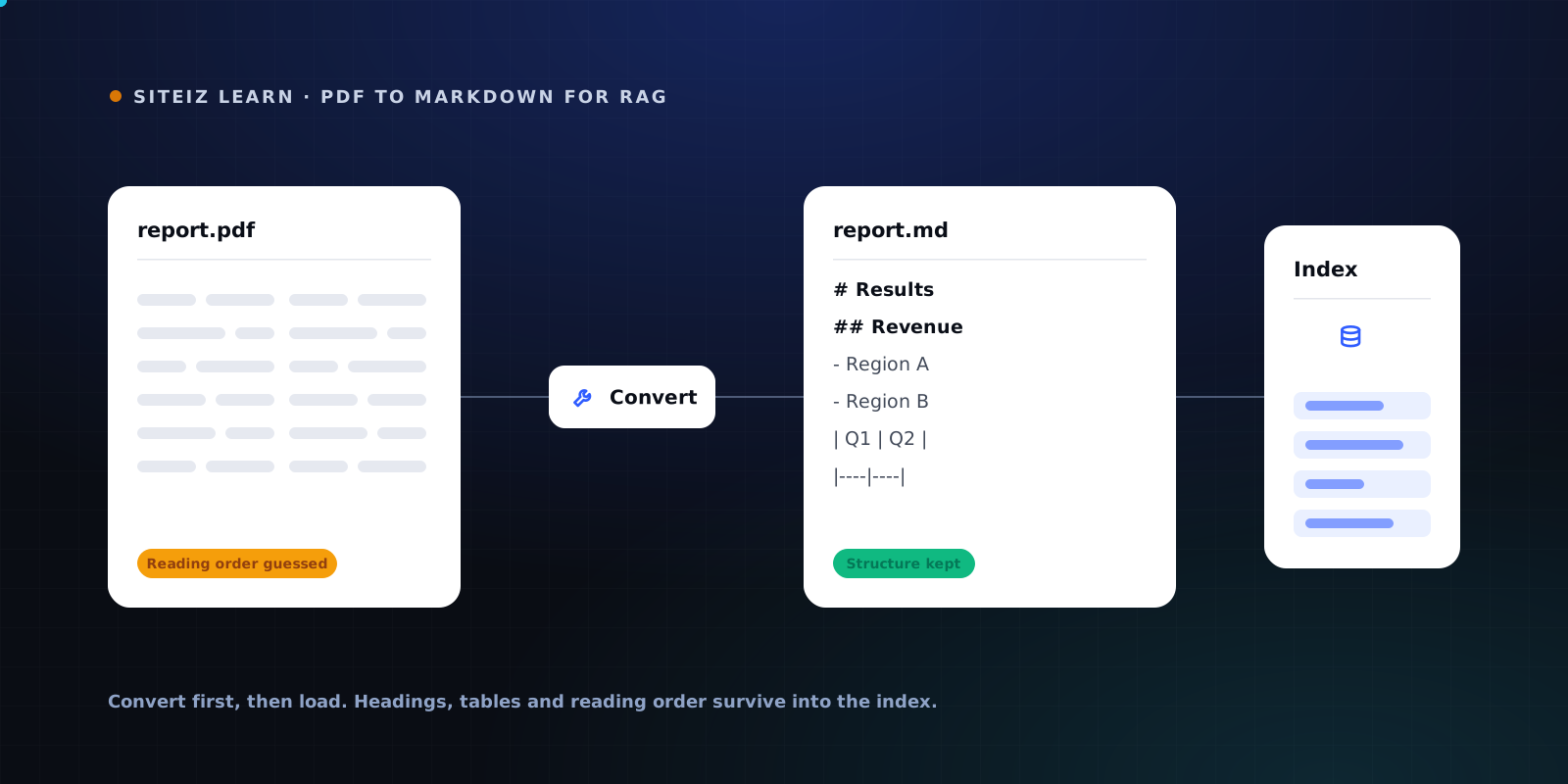
Put a conversion step in front of your loader. Convert the PDF to Markdown, verify the output once by eye, and index the .md file instead.
The Siteiz PDF to Markdown converter rebuilds reading order before it writes anything, so multi-column pages come out in the order a person reads them, and tables come out as real Markdown tables. It runs entirely in the browser, which matters when the documents are contracts, financials, or research you cannot send to a third-party API.
Drop in the document your retriever keeps getting wrong and read the Markdown it produces. Reading order rebuilt, tables kept. Nothing is uploaded, so confidential files never leave your machine. Text PDFs are free and unlimited.
Convert a PDF for free →Loading Markdown in LangChain
The change is small. Swap the PDF loader for a Markdown loader, and swap the character splitter for a header splitter.
from langchain_community.document_loaders import (
    UnstructuredMarkdownLoader,
)
from langchain_text_splitters import MarkdownHeaderTextSplitter

docs = UnstructuredMarkdownLoader("report.md").load()

splitter = MarkdownHeaderTextSplitter(
    headers_to_split_on=[("#", "h1"), ("##", "h2"), ("###", "h3")],
)
chunks = splitter.split_text(docs[0].page_content)
MarkdownHeaderTextSplitter attaches the heading path to each chunk as metadata. That gives you two things a character splitter cannot: chunks that end where a section ends, and a breadcrumb you can show the user when you cite the passage.
Loading Markdown in LlamaIndex
from llama_index.core import SimpleDirectoryReader
from llama_index.readers.file import MarkdownReader

reader = SimpleDirectoryReader(
    input_files=["report.md"],
    file_extractor={".md": MarkdownReader()},
)
documents = reader.load_data()
MarkdownReader splits on headings as it reads, so the document structure carries into your nodes without a separate splitting pass.
Checking that the conversion worked
Do not skip this. Two minutes of reading saves a week of debugging retrieval.
- Open the
.mdand read a page you know well. Sentences should be whole and in order. - Find a table you care about and confirm it is a Markdown table with pipes, not a run of loose numbers.
- Check that headings are real Markdown headings, since those are what your splitter needs.
- Look for repeated page headers and footers, and strip them with a short regex before indexing if they are heavy.
If step one fails, the document has a layout the parser could not resolve, and everything downstream is built on sand. That is worth reporting rather than working around.
What this does not fix
Conversion fixes ingestion, not retrieval strategy. If your chunks are clean and answers are still poor, the next places to look are your embedding model's domain fit, whether you need hybrid search rather than pure vector similarity, and whether a reranker would help. Those are real problems, and they are worth solving after your input is clean. Solving them before is guesswork on top of noise.
Scanned documents
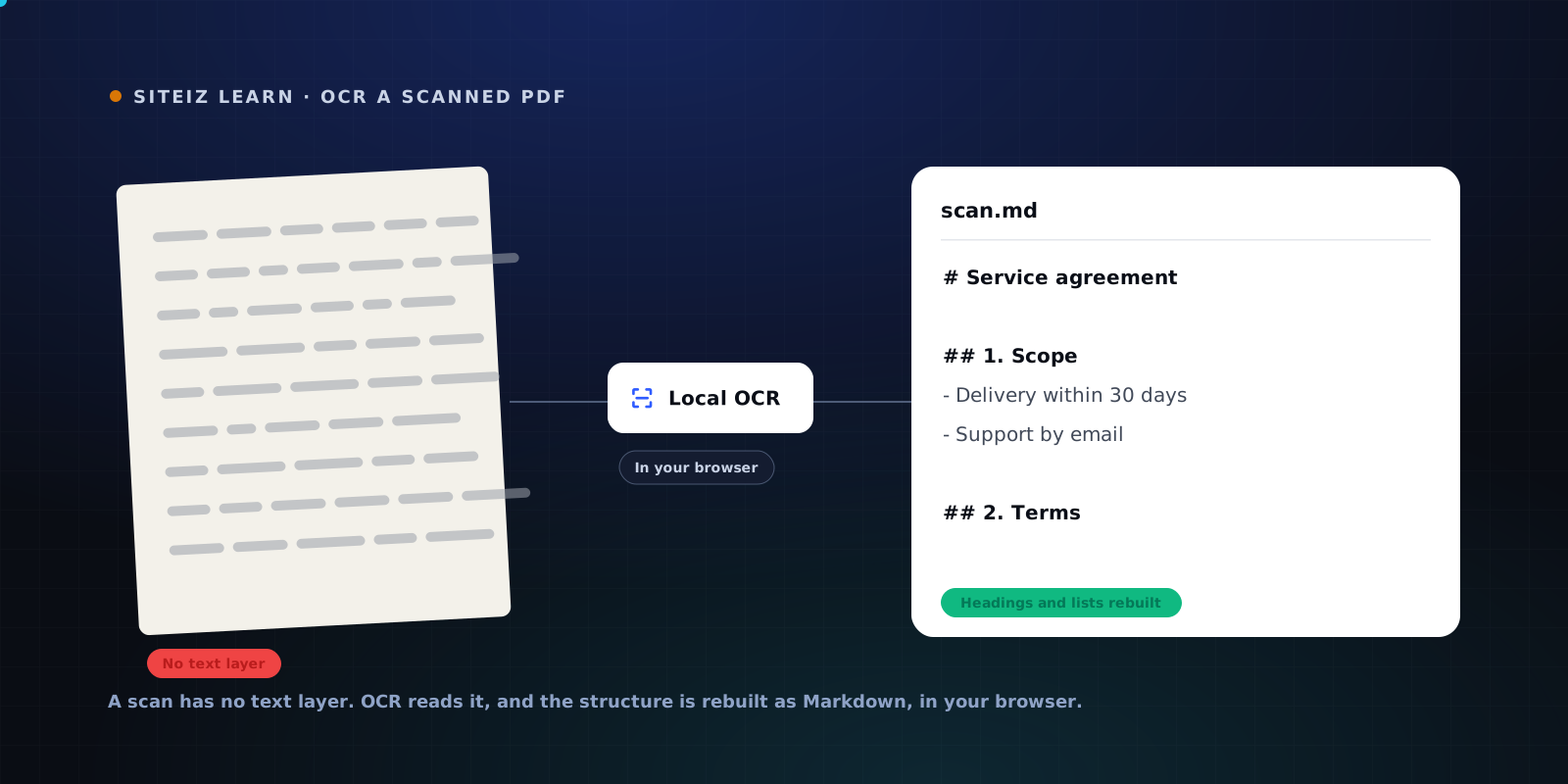
If your PDFs are scans, there is no text layer to extract at all and a loader returns empty strings or a handful of stray characters. That is a different failure with a different fix, covered in How to OCR a scanned PDF into Markdown.
The order that works is simple: convert, verify by eye, then index. Start by running the document your pipeline handles worst through the PDF to Markdown converter and reading what comes out.
Common questions
Why does my RAG pipeline give wrong answers from PDFs?
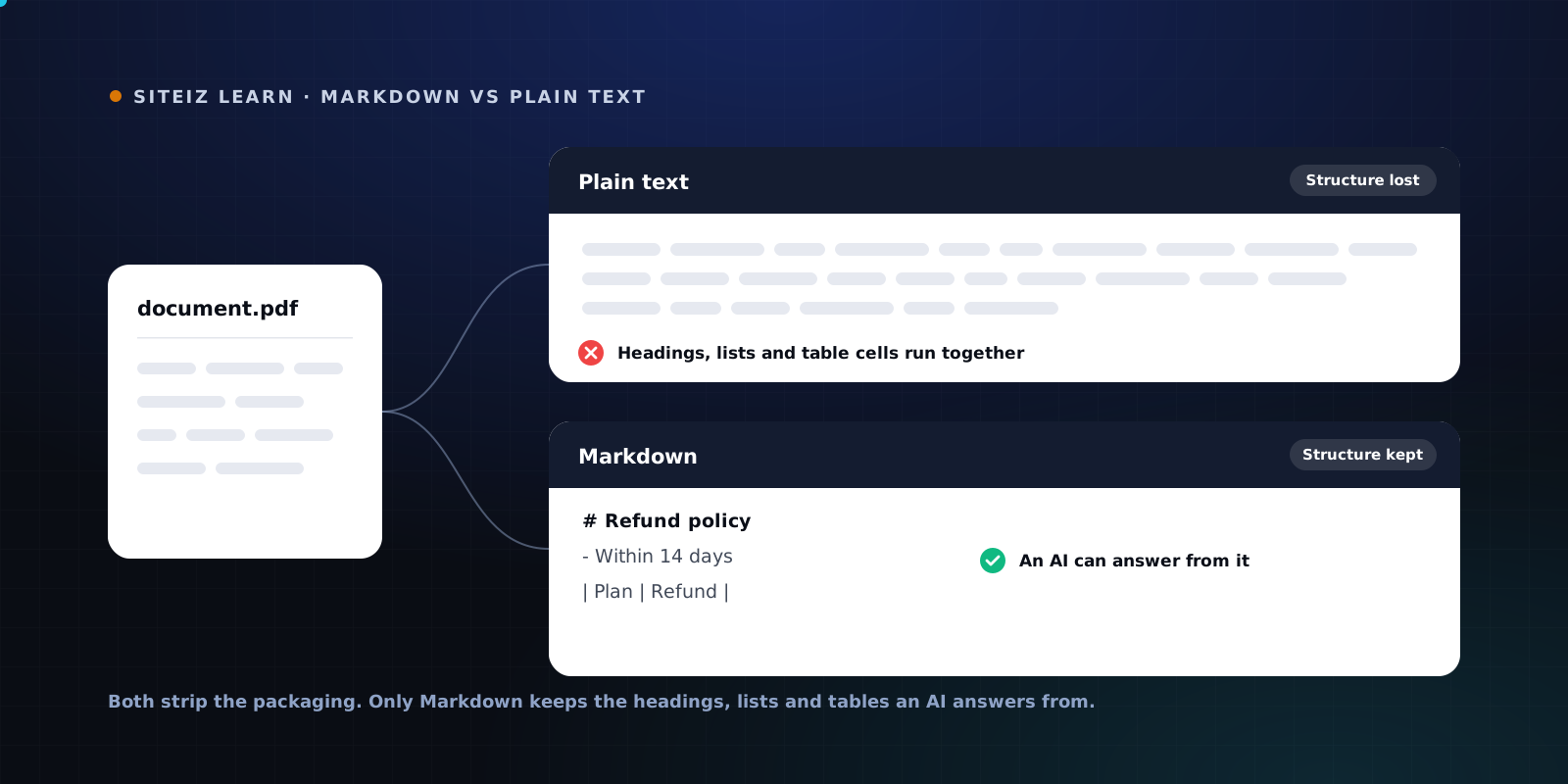
Almost always because the PDF loader flattened the layout before anything was chunked. A PDF stores characters at coordinates, not paragraphs, so a two-column page interleaves and a table becomes a stream of loose numbers. The retriever then embeds nonsense, and no amount of prompt tuning recovers meaning that was destroyed at ingestion.
Should I use a PDF loader or a Markdown loader in LangChain?
Convert the PDF to Markdown first, then use the Markdown loader. A PDF loader hands your splitter a wall of text with no structural markers. A Markdown loader plus MarkdownHeaderTextSplitter gives you chunks that end at section boundaries and carry their heading as metadata.
What chunk size should I use for Markdown from PDFs?
Split on headings first and only fall back to a character limit inside sections that are too long. Heading-based boundaries beat any fixed number, because they match how the document was actually organised. A character cap is a safety net, not the primary strategy.
Do tables survive conversion to Markdown?
Real tables convert to GitHub-flavored Markdown tables, so row and column relationships stay intact through embedding and retrieval. Ambiguous layouts that are not really tables fall back to clean text rather than a broken grid, which is the safer failure.